> For the complete documentation index, see [llms.txt](https://bt-studio.gitbook.io/bestest/llms.txt). Markdown versions of documentation pages are available by appending `.md` to page URLs; this page is available as [Markdown](https://bt-studio.gitbook.io/bestest/test-management/requirements.md).
# Requirements
Requirements represent business or functional needs that must be validated through testing. They can be organized in folders and linked to test
cases to establish traceability. When all linked test cases exist, a requirement is considered "covered," enabling coverage reporting and gap analysis.
### Overview
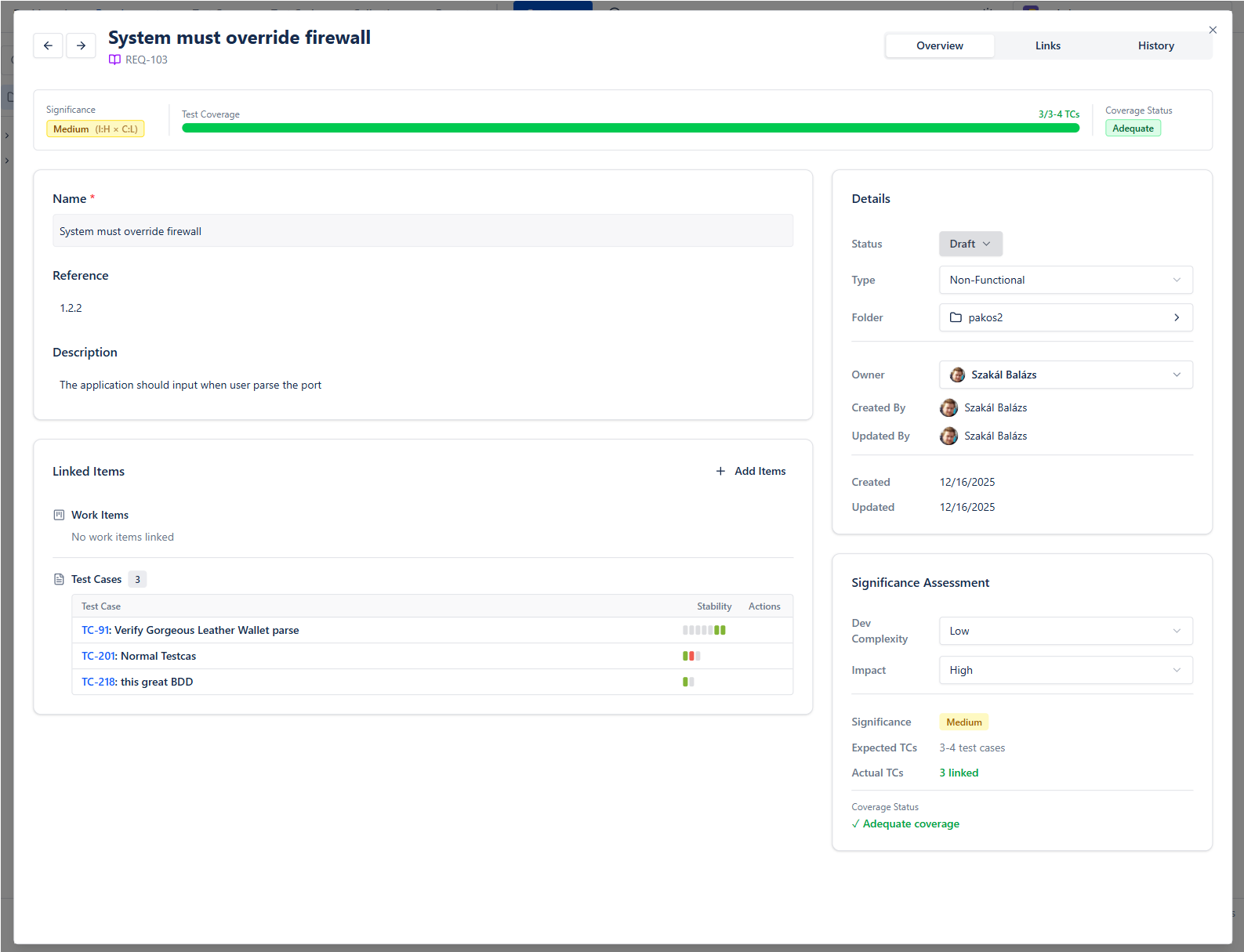
The Overview tab stands from different cards:
* Top bar shows Requirement's calculated Significance and Test Coverage
* Main card contains the main data
* Linked Items shows what Work Items or Test Cases are connected
* Details shows main attributes
* Significance Assessment area helps autocalculating the significance
* Dev Complexity x Impact = Significance
* Expected TCs calculated from this
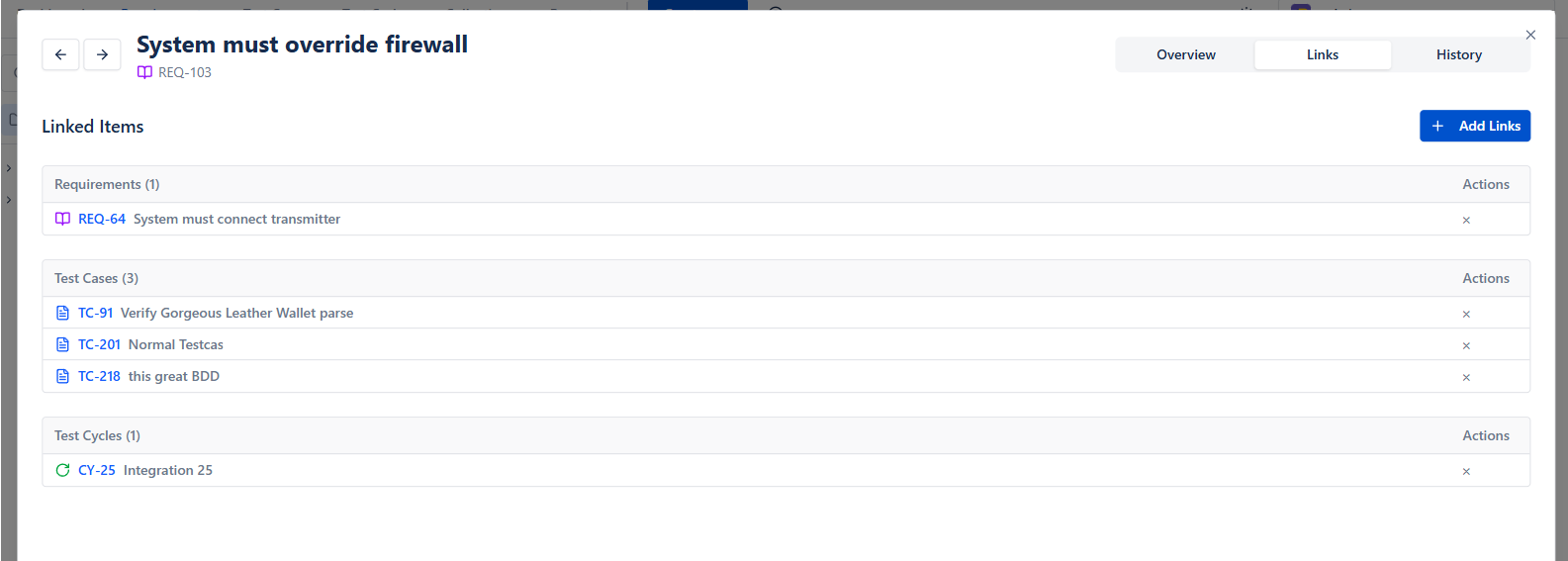
### Links
Items can be linked with
* Work Items
* Other Requirements
* Test cases
* Test Cycles
### Coverage in catalog
Connected test coverage and their latest execution is visible in the Test Results column. See which Requirements need coverage, and which performs bad recently.